Retail & POS
Shopping mall GTO reporting for Shopify POS retailers
What mall GTO (gross turnover) reporting is, why tenants must submit daily sales, what goes wrong when it is manual, and how Shopify POS retailers automate it.
· 4 min read

Shopping mall GTO
Our GTO app takes Shopify POS sales and submits them in the format each mall requires, every day, for supported malls in Malaysia and Singapore.
How it flows
The problem
Tenants in many shopping malls must submit daily sales to the mall, or to an agent the mall appoints, for GTO (gross turnover) rental. It is a condition of the tenancy agreement.
Missing submissions can lead to penalty fees or rental charged on estimated sales, which is usually significantly higher. Each mall also has its own file format and transfer method, so manual uploads grow with every outlet.
The app
Shopify App Store listing checked 2026-10-18. Screenshots are from the listing.
What we do
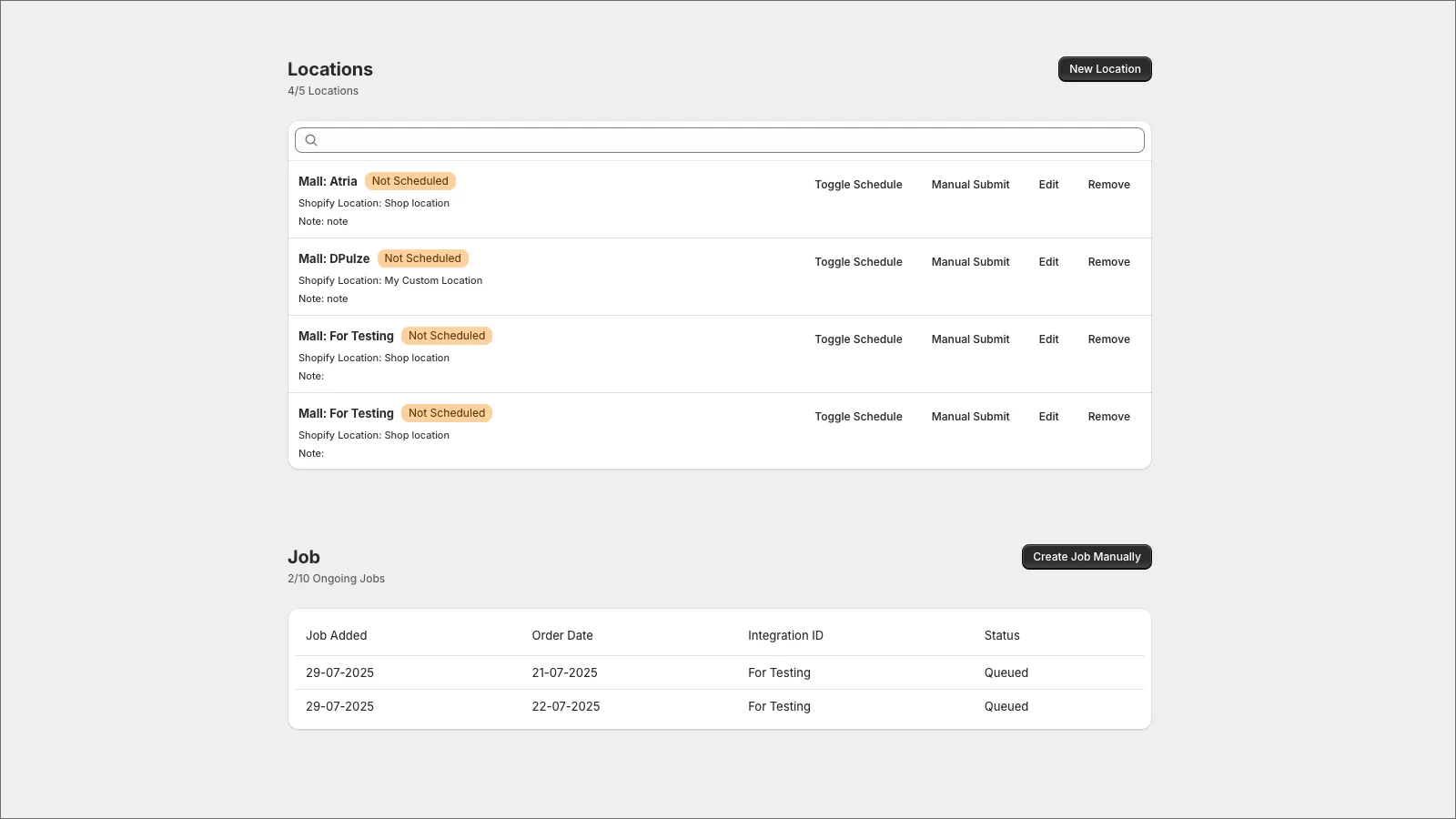
POS sales are formatted to each mall's specification and sent on schedule without staff action.
Each Shopify POS location is linked to its mall, with its own schedule and on/off control.
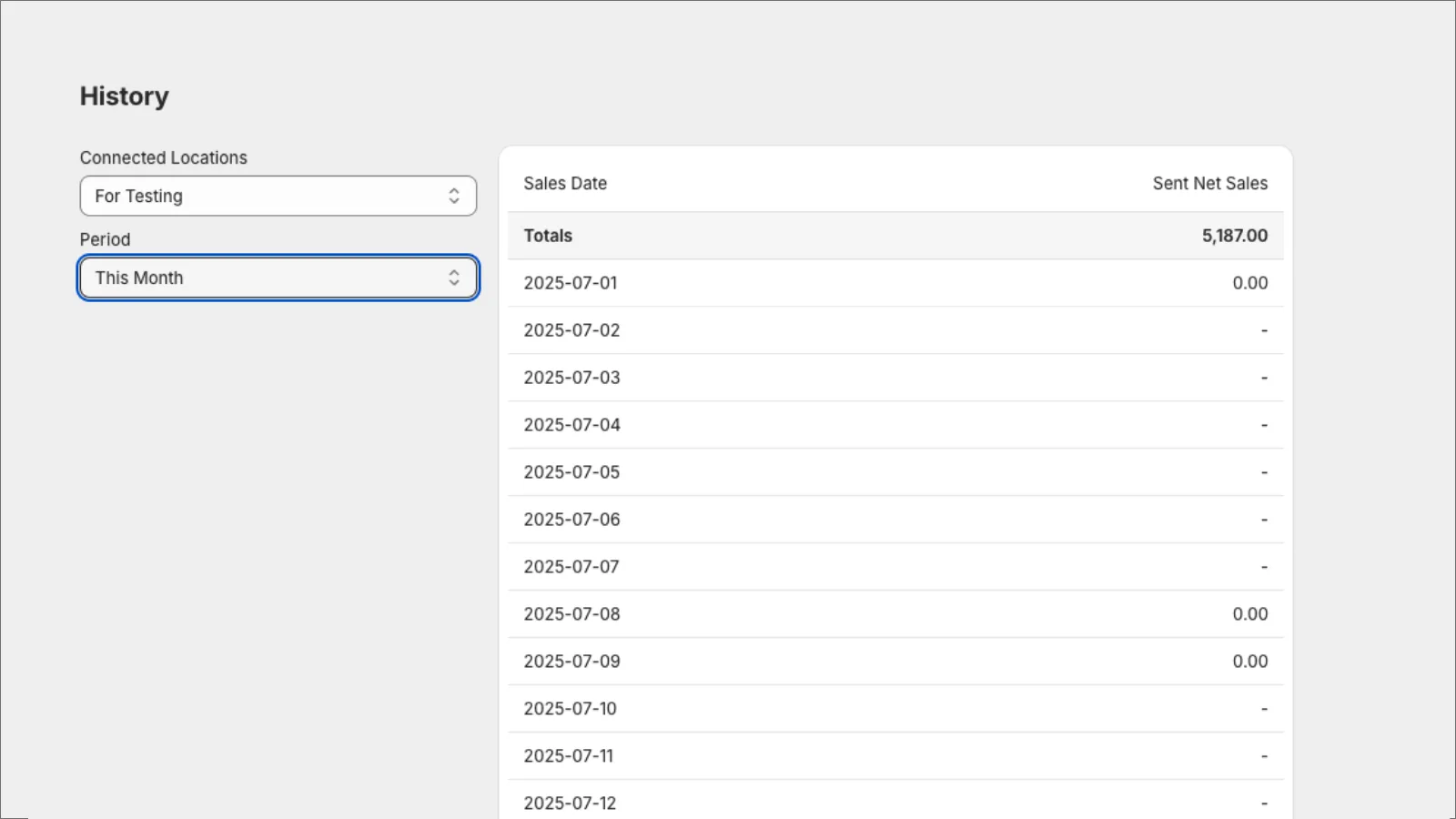
A daily view of net sales sent for each connected location and period.
Re-send a specific date if a mall server missed a file or a figure needs correcting.
Malls not yet supported can be added; a one-time integration fee may apply.
If a day's figure looks wrong, we request collaborator access to your store and trace it.
Supported malls
Don't see yours? Send us the mall's GTO documentation. A one-time integration fee may apply.
List as published by WebCEO, checked 18 October 2026.
How it works
Add the GTO app from the Shopify App Store and start the free trial.
Link each POS location to its mall using the mall's tenant details.
Check the first submissions against your POS totals and the mall's records.
Submissions run daily; history and manual jobs are there when needed.
Questions
Contact us with the mall's GTO documentation or the mall person-in-charge. A one-time integration fee may apply, and we confirm the exact cost before work starts.
Contact us and we will provide the sample file the mall needs.
Send us your Shopify store domain. We request collaborator access to investigate and correct the submission.
Create a manual job for that date in the app. If it happens again, contact us so we can investigate the cause.
Read next
Retail & POS
What mall GTO (gross turnover) reporting is, why tenants must submit daily sales, what goes wrong when it is manual, and how Shopify POS retailers automate it.
· 4 min read
Retail & POS
How to run several outlets on Shopify POS: locations, stock transfers, staff roles, omnichannel flows, mall reporting, e-invoicing and a pilot-first rollout.
· 4 min read
Related services
Next step
Tell us how your business runs today. Our Petaling Jaya and Penang teams are in from 9:30 AM – 6:30 PM.