Retail & POS
Shopify POS for Malaysian retailers with multiple outlets
How to run several outlets on Shopify POS: locations, stock transfers, staff roles, omnichannel flows, mall reporting, e-invoicing and a pilot-first rollout.
· 4 min read

LHDN e-invoicing
WebCEO E-Invoice Malaysia connects your Shopify store and Shopify POS to LHDN's MyInvois system. Customers request an e-invoice from their order, it is submitted for validation, and unrequested sales are consolidated each month.
How it flows
The problem
Manual invoice generation and submission. Complex requirements. Customers unsure how to request an e-invoice. Hours of administrative work at month end.
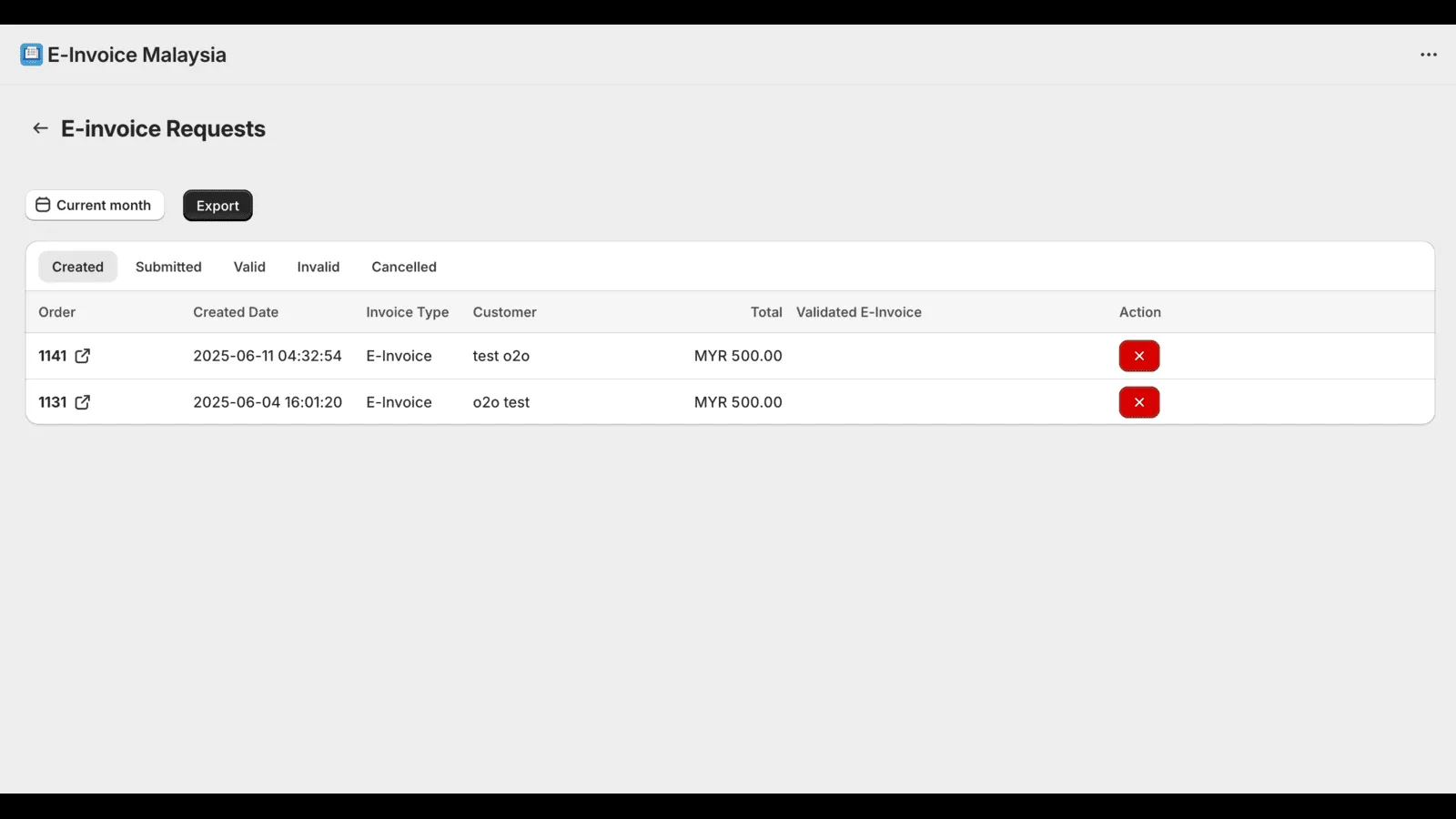
The app moves the request to the customer, submits it to MyInvois, and keeps a record of everything submitted and everything still to be consolidated.
The app
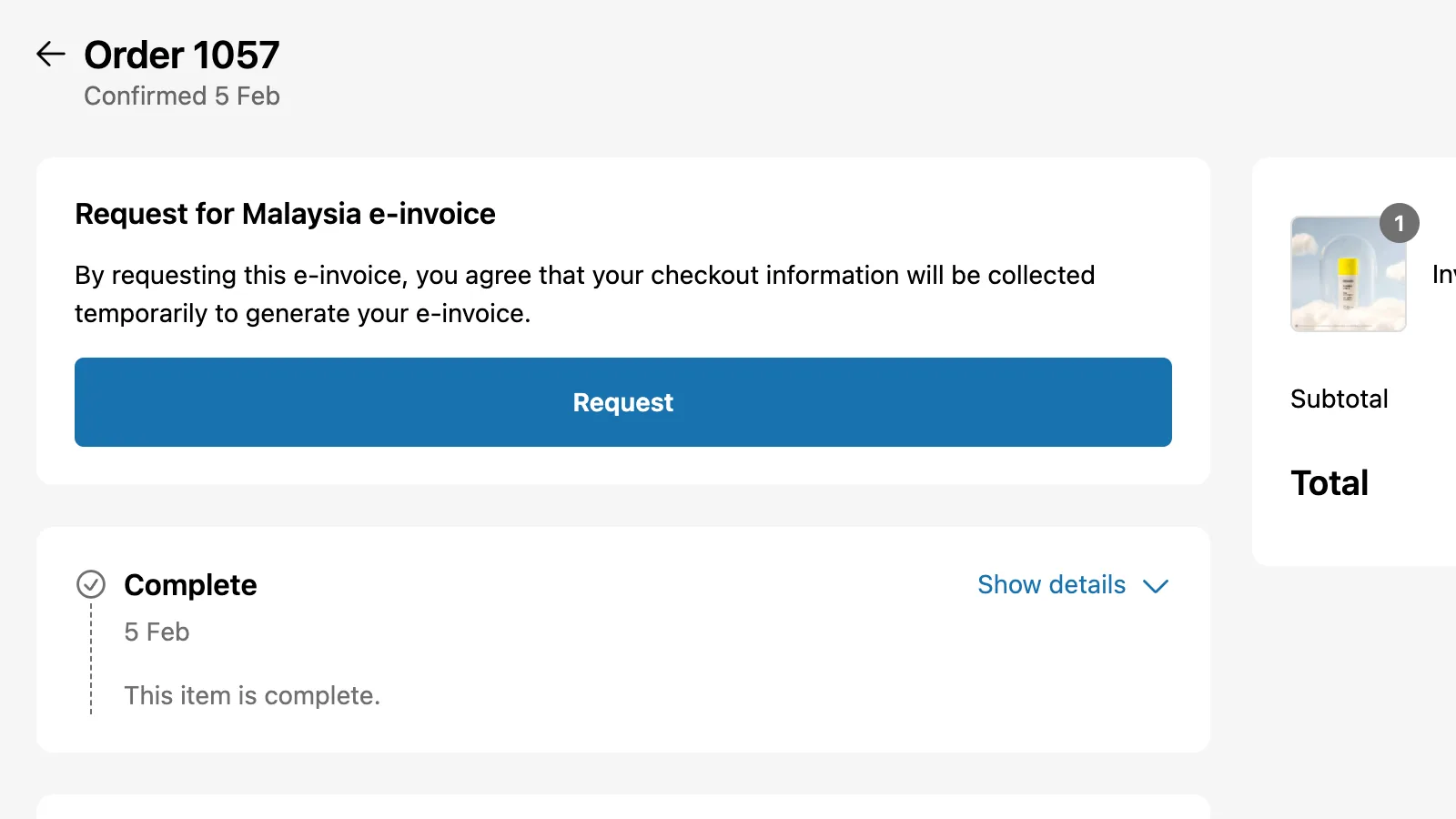
Shopify App Store listing checked 2026-10-18. Screenshots are from the listing.
What we do
Completed customer details and order data are submitted to LHDN's MyInvois system for validation.
A request option on the order status page, and a QR code flow for in-store purchases.
Works for Shopify online orders and Shopify POS sales.
Sales without an individual e-invoice are compiled for consolidated submission.
Adjustment documents submitted alongside the original e-invoice.
Monthly view of submitted and unsubmitted e-invoices for your records.
From the Shopify App Store
“A very responsive and helpful developer in helping me to sort out the issues that i have faced. I like how the guidelines are very clear and simple.”
“The developer is very helpful. Whenever we have specific requirements, they quickly identify solutions and provide the options and final deliverables that meet our needs.”
How it works
Add WebCEO E-Invoice Malaysia from the Shopify App Store.
Enter your business and MyInvois details once.
Requests, submissions and monthly consolidation run from the app.
Questions
Yes. The app acts as middleware between your Shopify store and LHDN's MyInvois system, and each e-invoice is validated by MyInvois. Whether and when e-invoicing applies to your business is set by LHDN, so confirm your obligations with your tax adviser.
From a request option on their order page. In store, they scan a QR code and complete their details on their own phone.
The app supports credit, debit and refund notes so adjustments are submitted against the original e-invoice.
Contact us about an enterprise arrangement covering higher volumes and multiple locations.
This page describes software. It is not tax or legal advice. E-invoicing obligations are set by LHDN; confirm yours with LHDN's current guidelines and your tax adviser.
Read next
Retail & POS
How to run several outlets on Shopify POS: locations, stock transfers, staff roles, omnichannel flows, mall reporting, e-invoicing and a pilot-first rollout.
· 4 min read
Related services
Next step
Tell us how your business runs today. Our Petaling Jaya and Penang teams are in from 9:30 AM – 6:30 PM.